Most developers use AI coding tools the same way every session: re-explain the project, re-state the conventions, re-describe the deployment process. The AI is smart but amnesiac — brilliant on day one of every project, forever.
Agent Skills change that. A skill is a reusable playbook — a SKILL.md file that teaches your AI agent how to handle a specific task, exactly the way you want it handled, every time. Build it once, and the agent follows it automatically whenever the task is relevant. No re-prompting. No copy-pasting context. No variance.
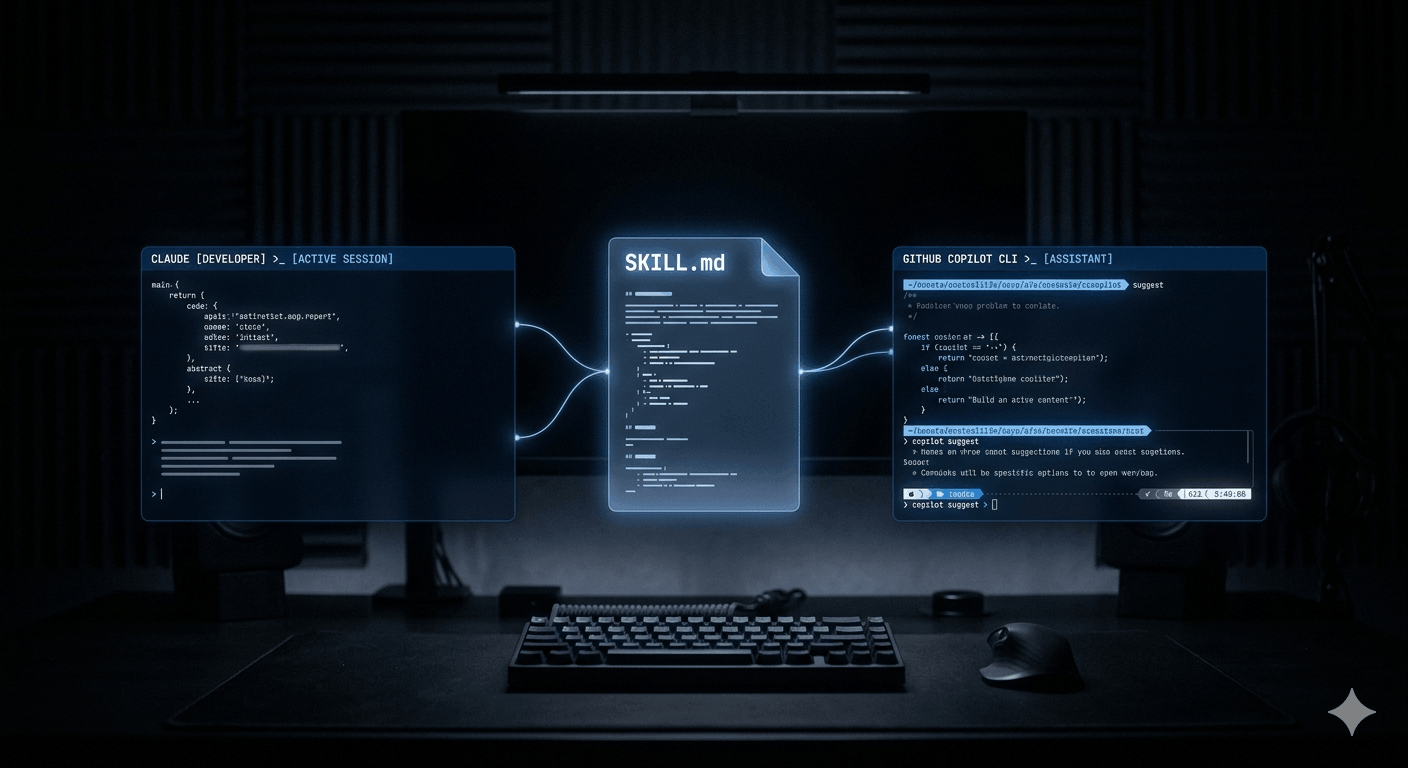
What makes this particularly useful right now: skills are a cross-platform open standard. A skill you write for Claude Code today works in GitHub Copilot CLI, Copilot's coding agent, VS Code agent mode, Cursor, and Gemini CLI — without modification. One investment, every tool.
What Agent Skills actually are
Skills are not prompts. They're also not MCP tools, custom instructions, or memory. Each of these exist in the Claude and Copilot ecosystem and each serves a distinct purpose — the distinction matters for using them correctly.
| Mechanism | When it's active | Best used for |
|---|---|---|
| Custom instructions | Always, every conversation | Coding standards, tone, always-on preferences |
| Agent Skills | On demand, when relevant to the task | Specific repeatable workflows — testing, deploys, reports |
| MCP tools | When connected to an external service | Live data access — GitHub, databases, APIs |
| Memory | When Claude recalls a past session | Personal context — preferences, past decisions |
A skill consists of a folder with a required SKILL.md file and optional supporting resources — scripts, reference documents, templates, and assets. When the agent determines a skill is relevant to the current task (based on the description in the skill's YAML frontmatter), it loads the full skill into context and follows its instructions.
Technically, skills work through context injection: the SKILL.md body is injected into the agent's context window at the point where it becomes relevant. The agent reads it and follows it just like any other instruction. No code execution is required for the skill itself — but skills can reference scripts the agent then runs using the code execution environment.
Anatomy of a SKILL.md file
Every skill starts with a SKILL.md file. The format is simple: YAML frontmatter followed by Markdown instructions. Here's a complete, production-ready example:
---
name: pr-review          # Required: lowercase, hyphens, max 64 chars
description: >-          # Required: max 1024 chars — this drives auto-invocation
  Reviews pull requests for code quality, security, and test coverage.
  Use when asked to review a PR, check a pull request, or audit code changes.
argument-hint: "PR number or branch name"   # Optional: shown in /skills menu
user-invocable: true     # Optional: allow /pr-review slash command (default: true)
license: MIT             # Optional
metadata:
  author: binary-tech-lab
  version: "1.0"
  compatibility:
    - claude-code
    - github-copilot
    - openai-codex
---

# PR Review Procedure

## What to check
1. Run the test suite and verify all tests pass
2. Check for any new functions without test coverage
3. Scan for exposed secrets, hardcoded credentials, or unsafe env var usage
4. Review error handling — every async operation should have a catch path
5. Check for TypeScript `any` usage and flag it

## Output format
Summarise findings in three sections: **Must Fix**, **Should Fix**, and **Suggestions**.
Include file and line references for every issue.
The description field is the most important part of the file. It's how the agent decides whether to auto-invoke the skill. Be explicit about trigger conditions — include the exact phrases a developer is likely to use. A vague description means the skill won't activate when it should. A precise description means it loads exactly when needed and not otherwise.
Where to put your skills
Both Claude Code and GitHub Copilot scan the same directory locations, which is what makes cross-platform portability work in practice. The same skill folder is found by both tools automatically.
.github/skills/
Loaded for all contributors to the repository. Ideal for team conventions, deployment procedures, and project-specific workflows. Commit to source control — the whole team gets the skill automatically.
~/.claude/skills/ or ~/.copilot/skills/
Loaded across all your projects. Ideal for personal workflows — your preferred code review checklist, your standup generator, your debugging approach. Follows you everywhere.
~/.claude/skills/
Recognised by Claude Code for personal use across all sessions. Copilot CLI also recognises this path, so skills placed here work in both tools without duplication.
The skill folder name becomes the slash command. A skill at .github/skills/pr-review/SKILL.md is invocable as /pr-review in both Claude Code and Copilot CLI. Keep folder names lowercase with hyphens — this is enforced by the spec.
Using skills in Claude Code
Claude Code discovers skills automatically at startup by scanning the known directory paths. From that point, skills work in two modes:
Automatic invocation: Claude reads every skill description at the start of a session. When your request matches a skill's description, Claude loads it and follows it — without you doing anything. Ask "review the auth PR" and the pr-review skill activates. Ask "what did I work on yesterday" and the standup skill activates. You'll see skills referenced in Claude's chain of thought as it works.
Manual invocation: Use the slash command to invoke a skill explicitly and optionally pass arguments. For example:
# Invoke with arguments
/pr-review PR #142

# Invoke with additional context
/frontend-design Build a pricing page. B2B audience, dark theme, no purple gradients.

# List all available skills
/skills list

# Get info about a specific skill
/skills info pr-review
Skills support string substitution for dynamic values. Variables like $ARGUMENTS are replaced at invocation time with whatever you pass after the slash command. This enables sophisticated templating — a deploy skill that uses $ARGUMENTS as the environment name, for example, works for staging and production without writing two skills.
Using skills in GitHub Copilot CLI
GitHub Copilot CLI picks up skills from the same directory locations — .github/skills/ in the repo and ~/.copilot/skills/ or ~/.claude/skills/ for personal skills. If you've already set up skills for Claude Code, Copilot CLI finds them automatically without any additional configuration.
The invocation interface is identical: skills activate automatically based on your prompt, or you invoke them manually with a slash command:
# List available skills
/skills list

# Toggle skills on or off
/skills
# Use arrow keys + spacebar to toggle

# Invoke explicitly with context
/webapp-testing login flow on the checkout page

# Get skill details
/skills info webapp-testing
One practical difference from Claude Code: Copilot CLI is operating in your terminal against your repository, so skills that reference terminal commands, git operations, and CI/CD tooling work particularly well here. The github-actions-failure-debugging skill from GitHub's official documentation is a good example — it uses GitHub MCP server tools to pull workflow logs and summarise failures directly in the CLI, without you having to navigate the GitHub UI.
For teams using Copilot's coding agent (the autonomous agent that works from GitHub Issues), skills placed in .github/skills/ are automatically loaded during autonomous execution. The agent reads the skill descriptions when planning its approach to an issue and invokes relevant ones without any human prompt. A webapp-testing skill means the coding agent generates test files following your team's conventions — not generic tests that don't match your patterns.
Writing skills that actually work
The difference between a skill that consistently activates and one that sits unused almost always comes down to the description field and the specificity of the instructions.
Description field rules: Include the exact phrases developers use in natural conversation. Think about what someone types when they need this skill: "review this PR", "debug the failing test", "write release notes", "generate standup". Those phrases belong in the description. A skill description with only technical jargon won't match casual developer prompts.
Instructions should be prescriptive, not descriptive: Don't tell the agent what a good code review is. Tell it exactly what to check, in what order, and in what format to report findings. Skills are procedures, not guidelines. The more specific the instructions, the more consistent the output.
Bundle resources: Skills can include supporting files that the agent loads on demand — test templates, reference documentation, checklist files, example scripts. Keep the SKILL.md body lean and link to these resources. This way the agent loads the overview immediately but only pulls the heavy reference material when the instructions require it.
my-skill/
├── SKILL.md              # Required: frontmatter + instructions
├── scripts/
│   └── run-checks.sh  # Scripts the skill can invoke
├── references/
│   └── style-guide.md # Reference docs loaded on demand
└── assets/
    └── template.md    # Templates used in output
Keep descriptions under 200 words: With multiple skills loaded, every description adds to the system prompt. Bloated descriptions compound. The description should answer two questions and nothing more: what does this skill do, and when should I invoke it?
Practical skill examples worth building
📋 PR review
Checks test coverage, scans for exposed secrets, flags TypeScript any usage, reviews error handling, outputs findings as Must Fix / Should Fix / Suggestions. Invoke: "review PR #142" or /pr-review.
📝 Daily standup generator
Runs git log since yesterday, formats commit messages into a readable standup update, groups by area of the codebase. Invoke: "what did I work on yesterday" or /standup.
🚀 Deployment checklist
Walks through environment variable checks, database migration status, rollback plan, smoke test URLs, and Slack notification format before any deploy. Invoke: "deploy to staging" or /deploy staging.
🧪 Test generation
Generates tests following your team's conventions — AAA pattern, naming format, boundary value cases, mock patterns. Keeps the agent from generating generic tests that don't match your codebase. Invoke: "write tests for the auth module" or /test-gen.
📄 Release notes drafter
Reads merged PRs since the last release tag, categorises into Breaking Changes, Features, Bug Fixes, and Performance, and formats according to your changelog template. Invoke: "draft release notes for v2.3" or /release-notes.
🔍 Incident triage
Structured runbook: confirms affected service and environment, collects signals from logs and recent deploys, generates a stakeholder-ready status update. Invoke: "triage the payments API alert" or /incident-triage.
The open standard: why it matters for your team
In December 2025, Anthropic published the Agent Skills specification as an open standard at agentskills.io. GitHub adopted it immediately — which is why the same SKILL.md format works across Claude Code, GitHub Copilot CLI, Copilot's coding agent, VS Code agent mode, Cursor, Gemini CLI, Codex CLI, and others.
The practical implication: skills you build now are not locked to a single tool. Teams that use Claude Code for local development and Copilot for CI automation can maintain one set of skills in .github/skills/ that both tools pick up. Engineers who switch between tools for different tasks carry their personal skills in ~/.claude/skills/ and both Claude Code and Copilot CLI find them.
The cross-platform story also changes how you think about shared skill libraries. GitHub's awesome-copilot repository and Anthropic's anthropics/skills repository both publish skills in this format that work across tools. The dotnet/skills repository from Microsoft ships .NET-specific skills that Claude Code, Copilot, and VS Code all pick up — skills maintained by the team that ships the framework itself.
Skills vs custom instructions vs MCP: the practical distinction
These three mechanisms are often confused because they all customise agent behaviour. The distinction that matters in practice:
Custom instructions are for what the agent always does — your coding standards, your preferred response format, your project's language and framework. If something applies to every single task in a session, it's a custom instruction. Load it once, forget about it.
Skills are for what the agent does when a specific task comes up. They encode how to do something — the procedure, the checklist, the output format for a specific workflow. A code review skill, a deployment skill, a standup skill. They activate when relevant, stay out of the way when not.
MCP tools give the agent access to external systems — live data from GitHub, database queries, API calls. MCP is about connectivity. Skills are about expertise. The most powerful setups combine both: MCP for access to your GitHub repo's PR data, a skill that defines exactly how to review it.
Getting started: the right first skill to build
The most common mistake when getting started with skills: trying to encode everything at once. Build one skill for the repetitive task that costs you the most time this week. Use it for a week. See where it falls short. Refine.
The fastest path to a working skill: use the skill-creator skill that Anthropic ships. Enable it in Settings → Customize → Skills → enable Skill-Creator. Then tell Claude: "Build me a skill for [your workflow]." Claude will ask clarifying questions, generate the full folder structure, write the SKILL.md, and bundle any resources you need. No manual file editing required.
# Claude Code: use the built-in skill creator
/skill-creator Build me a skill for reviewing database migrations.
# Claude asks: what checks do you want? what output format?
# Claude generates: skill folder, SKILL.md, reference docs

# Or build manually
mkdir -p .github/skills/db-migration-review
cat > .github/skills/db-migration-review/SKILL.md << 'EOF'
---
name: db-migration-review
description: >-
  Reviews database migration files for safety and correctness.
  Use when asked to review a migration, check a schema change,
  or audit database changes before deployment.
---

## Migration Review Checklist
1. Verify the migration is reversible (down migration exists and is correct)
2. Check for missing indexes on foreign keys
3. Flag any destructive operations (DROP, TRUNCATE) — require explicit approval
4. Verify the migration runs without locking large tables
5. Check that the migration is idempotent where possible
EOF
Treat skills like code from day one: version control them in your repository, review changes through pull requests, keep a changelog of what you changed and why. A skill that's been iterated on for a month based on real usage is dramatically more valuable than one written perfectly upfront and never touched.
The honest take
Skills are the first AI developer tool feature that actually solves the re-prompting problem — the daily friction of teaching your agent the same context it had yesterday. That friction is small per session and enormous across a team over months.
The cross-platform open standard is what makes the investment worthwhile. You're not building skills for Claude or for Copilot — you're building institutional knowledge in a format that any capable coding agent can use. That's a different kind of value than a prompt that works today and needs to be rewritten when you switch tools.
Start small. One skill, one workflow, one week of use. The compounding value becomes obvious faster than you'd expect.